Showing posts with label v3. Show all posts

Sunday, December 11, 2016

Clean Master v3 8 1

,

Description
Clean Master is free memory booster app that clear cache, deletes junk files, free up ram and storage space
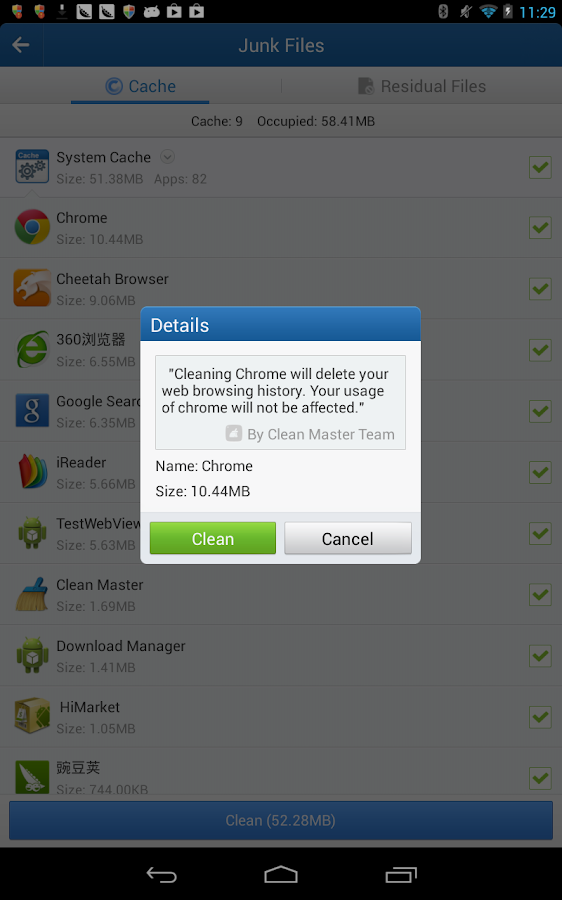
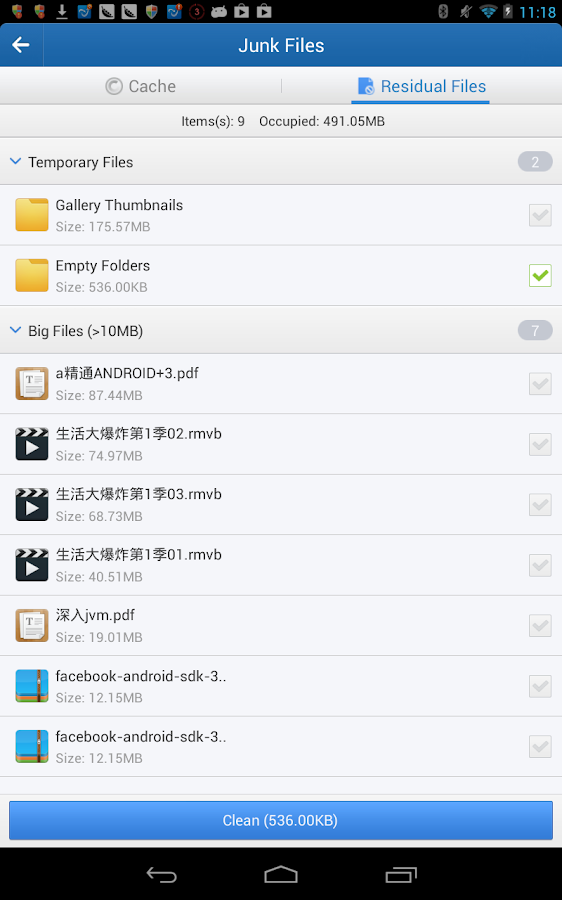
Clean - Cache files and residual files that take up valuable storage space
Clear - Protect your privacy by deleting personal information such as sms records, search history and browser history
App Management - Move apps to sd card, uninstall system/preinstalled apps and backup apk files
Task Killer - Shut down poorly coded apps to save battery and optimize androids performance

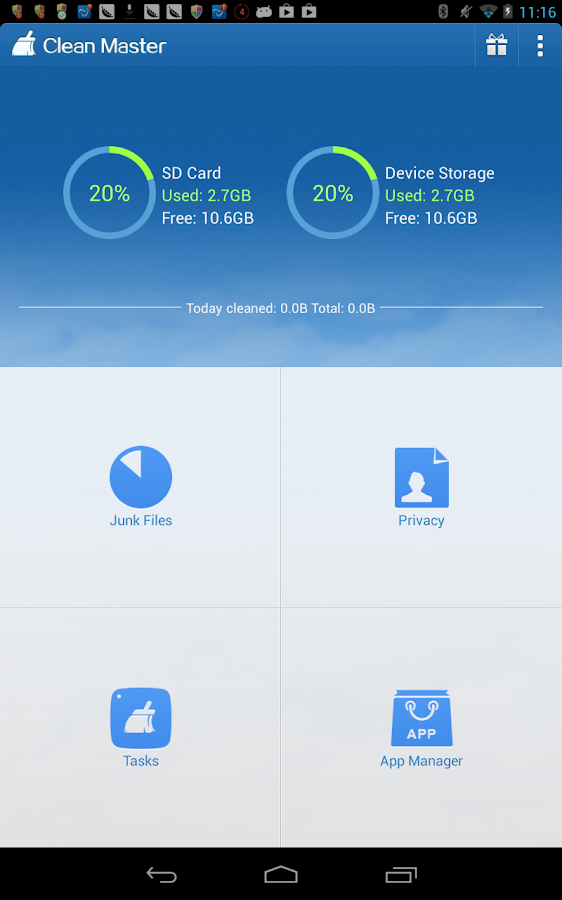
[Junk Files] - Clean Cache and Residual Files
This will help you clear cache and residuals files easily. On Android devices, cache and residual files will accumulate to take up hundreds of megabytes and in some cases even gigabytes of space. Cleaning junk files can help free up space on phone and sd card.
[Privacy] - Delete History
Privacy is important and many of your apps silently record your personal data like your SMS, web browser data, Google search history etc. Clean Master can perform message deletion and also can erase browser history data, search history and private data of many other apps like Wechat, Whatsapp, Spotify, Pinterest, Line etc.
[Task Killer] - Advanced Task Manager
Tasks running in background not only occupy system RAM, but also waste your battery life. Task Killer can stop other apps that are running in the background and free up more RAM to speed up your android device. This includes a shortcut called "1 Tap Boost" which can be more convenient.
[App Manager] - Uninstaller, Backup, Move to SD
This is an uninstaller that is an improvement over the Android system version and it can extract apk backup files of your apps as well. Some rooted users will also be able to move apps to SD card as well as uninstall preinstalled/system apps.
[Widget] - Memory Booster Widget
Now a memory booster widget comes along with 3.5.0 version and above. Touch the desktop with a long hold until a window appears, from this window scroll down to Clean Master Widget and touch.

Change Log
1. Added new shortcuts to the top right corner of the Memory Boost section such as Ignore List, Auto Kill and Create Widget.
2. Tapping the pie charts will now show your system storage settings
3. Notification when your phone is running low on storage space.
Improved
4. Brand new Feedback function.
5. Faster response time for a smoother experience.
Fixed
6. Fixed the home screen pie charts being inaccurate on some devices.

Images

Downloads
Download
Read more

Thursday, December 1, 2016

Paper Camera v3 7 0 APK

,

Paper Camera
Real time cartoon and painting effects displayed on your camera feed! See the world through a new, original, stylish and captivating lens, have a wonder in your own home and discover how cool is now your world in cartoon!


Paper Camera

 Paper Camera
 Paper Camera
 Paper Camera
 Paper Camera
This is the ultimate collection of cartoon/sketch/comic book/half tone/noir/neon and many other effects painted directly in your camera, no more boring post-effects, its all real time, you simply wont stop wandering, wherever you are, having a look at things and cartoon-ize them!

You can wave your phone around and see the world change before your eyes, take pictures using any of the stylish cartoon effects or apply them to your existing photos.

FAQ:

? I’ve purchased the App, but I can’t download it.

Please check that you have good Internet connectivity and retry. If the problem persists, please contact us and we will provide a solution.

? I have a Samsung device, and the gallery doesn’t open sometimes.

Please allow a couple of seconds after taking a picture before clicking the gallery button, on Samsung devices the gallery can’t be open while running the media scanner.

? Why do you require the NFC and INTERNET permissions?

NFC is required to support Android Beam and INTERNET is required for the Facebook, Twitter and YouTube integration.

VIDEO FAQ:

? How can I play Paper Camera videos on my PC?

Using any WebM player. We recommend Firefox or Chrome, however you might be able to use Windows Media Player or Internet Explorer if you install the right plugins.

? I cant play Paper Camera videos on my standard device gallery.

You require Android 4.0 or higher for this to work, on older versions you can use the in-app video player.

? I cant record video with Paper Camera on my new device, why?

Weve only enabled this feature on devices that we know can support it properly. However you can still try using unofficial video recording support.

? How do I enable unofficial video recording support?

In the settings menu. Let us know if this works properly on your device and we will officially enable it in future versions. Please note that you will have to be running Android 2.3.3 and have support for NEON instructions for this to work at all.

? Ive unlocked unofficial video support but I cannot playback my videos in Paper Camera, why?

This is a known limitation on some devices, there are 3 workarounds for this:
- You can playback videos on your PC.
- You can use MX Video Player, if you enable software mode.
- Hopefully when your device will receive a 4.0 upgrade this issue will be fixed.


Whats New (Updated 7 December 2013)
  • Added new effect: Pen and paper
  • Faster preview overall
  • Added smooth transitions when switching effects
  • You can now switch effect by swiping on the screen
  • Added some missing high res icons
  • Optimised some effects, and removed various artefacts


Click Download For DOWNLOAD:


Read more

Tuesday, November 22, 2016

Lucky Patcher v3 6 0 apk

,

Description
Lucky Patcher is a great Android tool to remove ads, modify Permissions, bypass premium applications license verification, and more.

Warning from Developer:
Although stable, functioning of Lucky Patcher cant be guaranteed at 100%. So you are solely responsible of use of this application. Under no circumstances Netbew be responsible for any problems caused to your device (rebooting loop, unstable system, etc...)

Change Log
- Add custom patch for "GO SMS Pro" v5.25 (Recent) to enable all premium features and remove ads (By FaakhiR).
- Add custom patch for "AutoMapa" (Updated for rebuild apk).
- Add custom patch for "Xprivacy Enabler Pro" v1.7.30.
- English translation updated (By p0izn@xda).
- Russian translation updated.

Images


Downloads
Download
Read more

Wednesday, November 16, 2016

DU Battery Saver v3 3 0 apk

,

Description
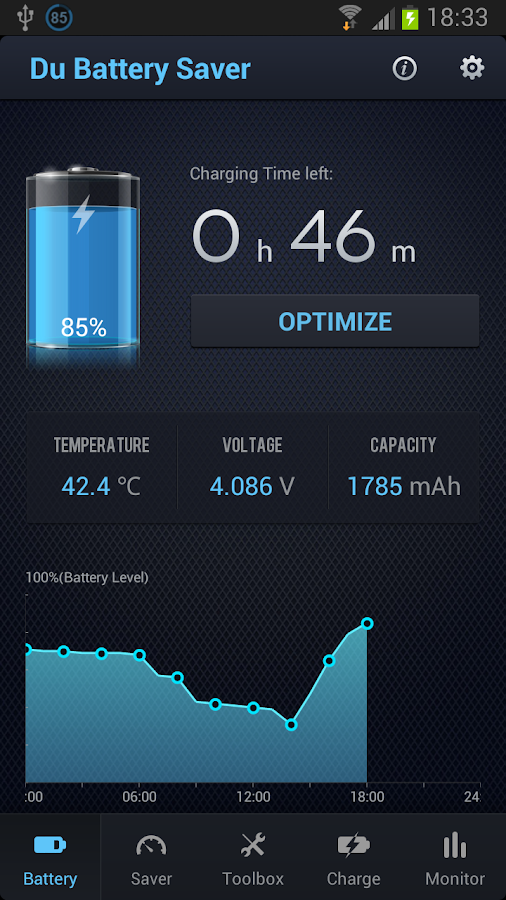
DU Battery Saver is a FREE battery saving app that makes your battery last longer! Get up to 50% more battery life for your Android tablets and phones with smart pre-set battery power management modes and easy one-touch controls that solve battery problems and extend battery life. It’s the simplest way to keep your Android phone working when you need it and protect against poor charging, battery hogging apps and overlooked device settings that can shorten your battery life.

? Global Saver — 17 languages supported (French, Spanish, Portuguese, Russian, Arabic, German, Bahasa Indonesia, Japanese, Chinese, Korean and more)
? Easy & Powerful Saver — Increase your battery life by up to 50%
? Simple Saver — Use smart pre-set battery power management modes or create your own to get high performance and great battery savings
? Convenient Saver — “Optimize” desktop widget allows you to stop power-consuming background apps with a one-touch to boost your battery life
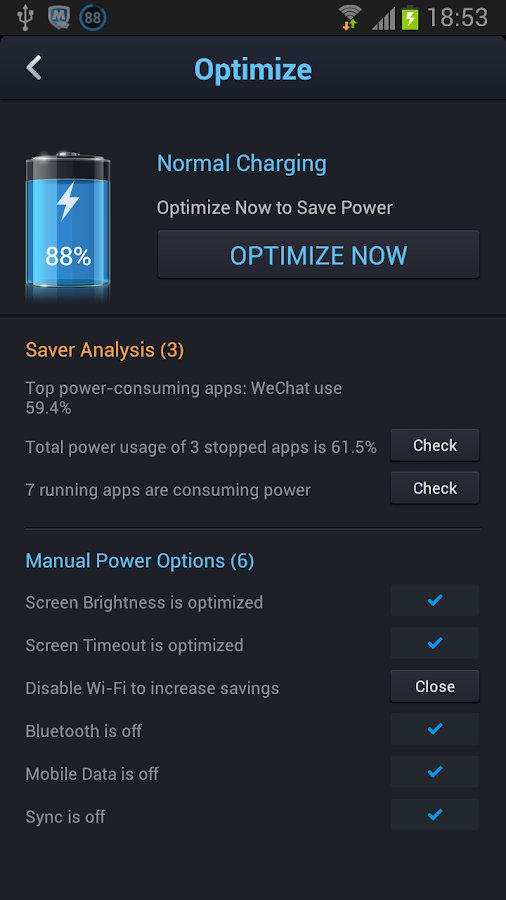
? Fast Saver — Instantly find battery power saving problems with the “Optimize” button
? Effective Saver — Protect your battery with healthy battery charging to extend life of your battery
? Adapts to You — Automatically save battery power with Smart Power settings (PRO upgrade).

FREE BATTERY SAVING FEATURES:
? ACCURATE STATUS
Smart technology helps you know exactly how much charge you’ve got left with detailed analysis of Android apps AND hardware (CPU, display, sensors, WiFi, radio, etc.)

? SMART PRE-SET MODES
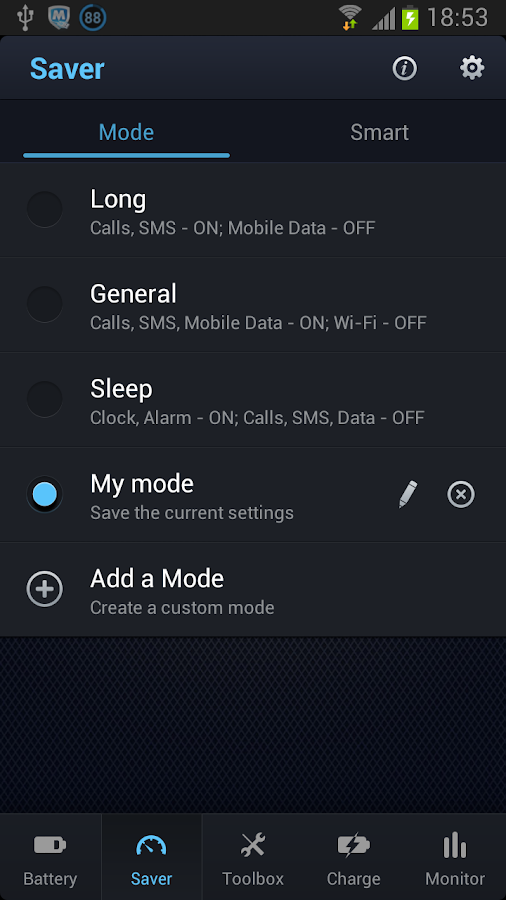
Choose mode that fits your battery power usage, or customize to find the right balance of battery life and performance using our battery saver:
- General Mode — Save battery power even while keeping most Android services running;
- Long Standby — Keeps dialing and SMS available while maximizing standby time;
- Sleep Mode — Turns off most services EXCEPT THE CLOCK to save your battery power until the morning
- Custom Mode — Create your own mode to get exactly the battery savings you need

? ONE-CLICK OPTIMIZE
Instantly discover and fix battery power-consumption problems and unlock detailed settings to super-tune your battery savings

? ANYTIME OPTIMIZATION
Manage background apps and Android phone hardware easily and safely with smart home screen widget (i.e. Battery level widget, Hardware switch widget, Mode switch widget)

? BETTER BATTERY DETAILS
Show Android phone battery power level by % or time remaining

? HEALTHY CHARGE MANAGER
Track and implement healthy charging practices to keep your battery working at its best

Change Log
-New Battery Skin Customizable;
-Fixed Battery voltage display error;
-Optimized Toolbox display;

Images


Downloads
Download
Read more

Monday, October 31, 2016

AppMgr III App 2 SD v3 1 9 apk

,

Description
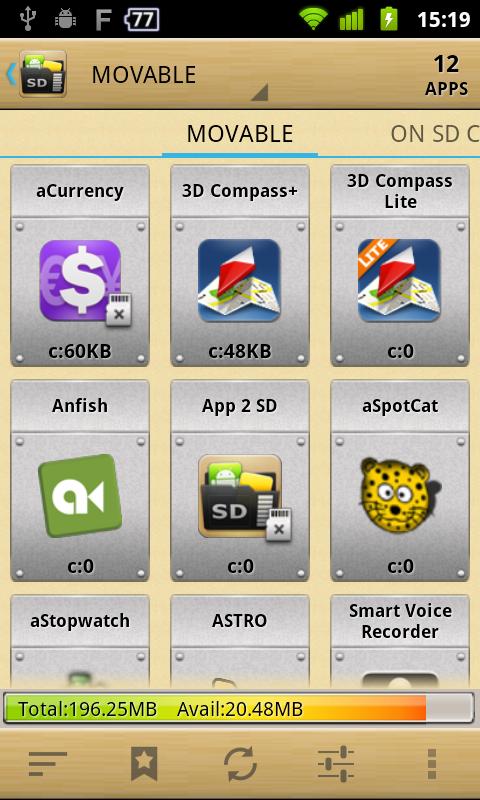
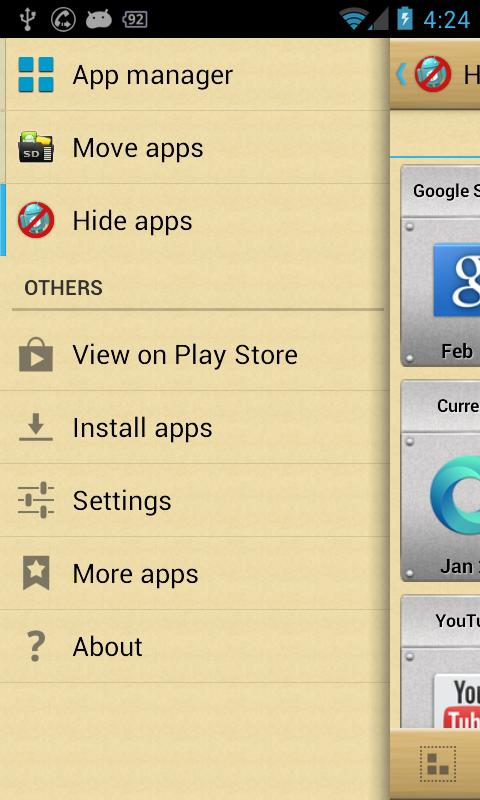
AppMgr (also known as App 2 SD) is a totally new design app that provides the following components:

Move apps:
Moves apps to either internal or external storage for getting more available app storage

Hide apps:
Hides system (built-in) apps from the app drawer

App manager:
Manages apps for batch uninstalling, moving apps or sharing apps with friends

Features
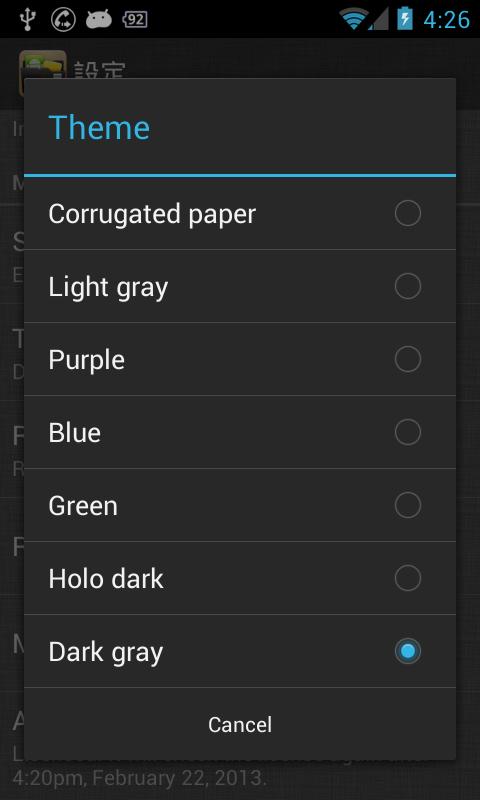
- new ICS style UI, themes
- batch uninstall apps
- batch move apps to external storage
- notify when movable apps installed
- hide apps from app drawer
- 1-tap to clear all cache
- batch clear apps cache or data
- batch view apps on Google Play
- export the app list
- install apps from the exported app list
- quick uninstall or move an app by drag-n-drop
- sort apps by name, size or installation time
- share customized app list with friends
- support home screen widgets
- support Android 2/3/4
- support "Move2SD Enabler"
- customizable notification sound, vibrate and light

Change Log
- support app2sd for Samsung GT-I9082 (Galaxy Grand with Android 4.2.2) devices
- show available storage size in percentage
- Thai localization
- updated Hebrew strings

Images


Downloads
Download
Read more

Monday, October 24, 2016

PiAUISuite Update and Voicecommand v3 1

,
Voicecommand allows you to control your raspberry pi using only your voice. More information and videos on this can be found on my YouTube channel or the original blog posts.

Ive made a couple of key changes and their is a new option for people who want to help with the sox implementation to make the speech recognition more continuous rather than chunk-based.


  • The bug in the voicecommand -s hardware has been fixed.
  • Allows multilingual support with !lang and !language
  • Fixed casing bug when matching multiple variables
  • Install, Uninstall, and Update scripts are now seperated by project. So now if you want to only update youtube, just run UpdateAUISuite.sh youtube
  • tts and tts-nofill have been combined.
  • Moving away from yt.js to browse youtube in the browser. Now adding node.js youtube browsing API. See https://github.com/StevenHickson/RaspberryPiTV
  • Building https://github.com/StevenHickson/RaspberryPiTV to work with voicecommand and adding omxcontrols using https://github.com/StevenHickson/omxplayer_fifo
  • With the above, this allows a control panel that can control videos, play pandora, browse youtube, control music, and run voicecommand. Note that this is in beta and will require a lot of manual installation as their is no installation or readme yet (Hopefully soon to come).
  • Added youtube-dl cron update so that youtube-dl updates automatically every night. Often if someone says the youtube script doesnt work, it is because youtube-dl is out of date and YouTube has updated their security algorithms. Running sudo youtube-dl -U often fixes this problem.
  • Added an option in speech-recog.sh to use sox instead of arecord. Simply uncomment out the sox portion and comment the arecord portion in /usr/bin/speech-recog.sh as below:


sox -r 16000 -t alsa $hardware /dev/shm/out.flac silence 1 0.3 1% 1 0.5 1%


wget -q -U "rate=16000" -O - --post-file /dev/shm/out.flac --header="Content-Type: audio/x-flac; rate=16000" "http://www.google.com/speech-api/v1/recognize?lang=en&client=Mozilla/5.0" | sed -e s/[{}]//g| awk -v k="text" {n=split($0,a,","); for (i=1; i<=n; i++) print a[i]; exit } | awk -F: NR==3 { print $3; exit }


#arecord -D $hardware -f cd -t wav -d $duration -r 16000 | flac - -f --best --sample-rate 16000 -o /dev/shm/out.flac 1>/dev/shm/voice.log 2>/dev/shm/voice.log; wget -O - -o /dev/null --post-file /dev/shm/out.flac --header="Content-Type: audio/x-flac; rate=16000" http://www.google.com/speech-api/v1/recognize?lang="$lang" | sed -e s/[{}]//g| awk -v k="text" {n=split($0,a,","); for (i=1; i<=n; i++) print a[i]; exit } | awk -F: NR==3 { print $3; exit }


rm /dev/shm/out.flac


Please let me know how this works for people so I can debug and get this working permanently. 
As always, you can find the install, update, and new YouTube videos at my YouTube channel here:


https://www.youtube.com/channel/UCxa9JQjCl8ij_7za1_sRCVQ/videos


If you are wondering why Ive been so quiet, its because I moved, started grad school at Georgia Tech, and have been doing a technical review for a computer vision book.


Since Im a poor graduate student, please support my tinkering:


Places you can find me
Get 10% offsitewide when you shop at
at Yescom USA. Valid until October 2013! Retractable Banner Stand at Yescom USA . Valid until October 2013!

Read more

Monday, October 17, 2016

X plore File Manager v3 37 01 apk

,

Description
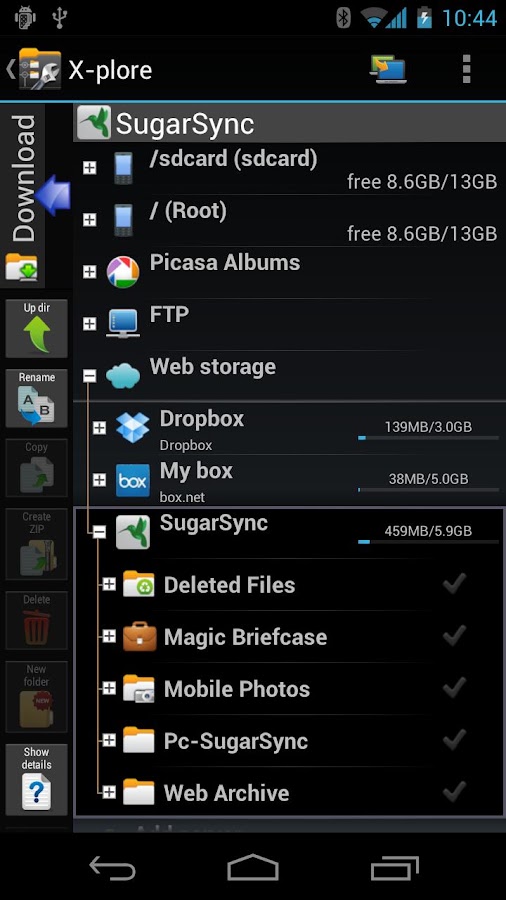
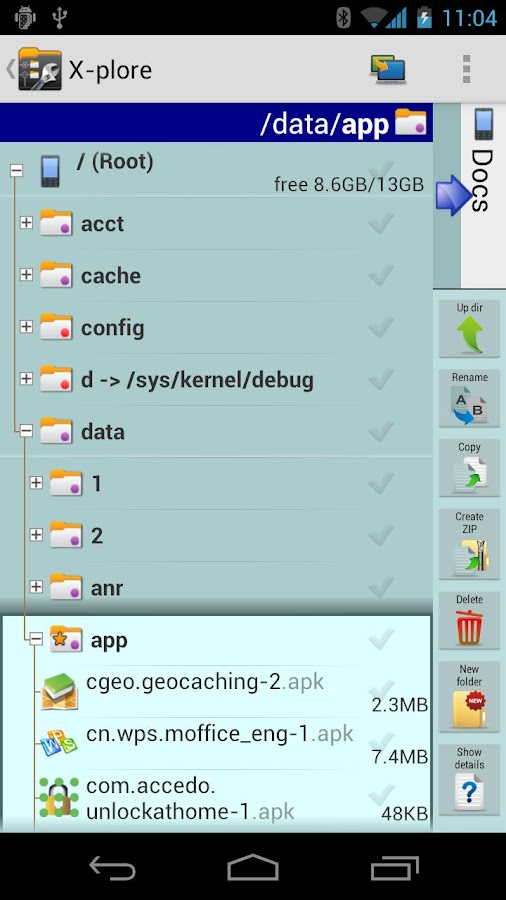
X-plore is a dual-pane explorer, which means that there are two folders shown at same time, and common operation such as copying files are done from one pane to another.And X-plore shows folder hierarchy in a tree view. This offers clear orientation on where in file system you currently are, and fast switching to other location.

You may explore internals of the device, and if youre power user and have your device rooted, you can make changes to system data - backup files, remove unwanted applications, etc.

Highlights:
? Dual-pane tree view
? Root, FTP, SMB, Sqlite, Picasa, Zip, Rar, 7zip explorer
? Cloud storage access: Google Drive™, Dropbox, Box.net, Mega.co.nz ***, SkyDrive, Webdav, Yandex.disk, Ubuntu One, 4Sync, IDrive, SugarSync, Dump Truck, Copy.com, MegaCloud
? Application manager
? Favorite folders
? Built-in viewers for images, video, audio, text
? Hex viewer
? Fast Image viewer with zoom and slide to previous/next images in folder
? Thumbnails for images and video as well as for various file types (depending on associated application)
? Multi-selection - always available, yet not disturbing
? View APK files as ZIP
? Share - send files by Bluetooth, email, or whatever the device supports, from any location
? Configurable buttons and key shortcuts
? Seamless work with Zip (as if it was normal folder)
*** marked feature is paid - it requires donation

Change Log
- Showing copy transfer speed
- Multi-select by click + long-click on file checkmark
- Showing image Exif data
- 7zip format (beta)

Images


Downloads
Download - Mediafire
Read more

Saturday, October 15, 2016

Runtastic PRO v3 1 2

,
Runtastic PRO v3.1.2 Apk Android
Tags: runtastic pro, runtastic promo code, runtastic pro apk, runtastic pro vs runkeeper, runtastic pro review, runtastic pro app, runtastic pro iphone, runtastic pro promo code, runtastic pro free, runtastic pro 3.2.2 apk


Requirements: Android 2.1+
Overview: Your personal tracking app for running, biking and other sports activities!

Your personal tracking app for running, biking and other sports activities!

The runtastic sportcoach uses the built-in GPS to map your activities and track your progress (distance, time, speed, calories, altitude, pace, etc.). Show your friends how active you are and share your success with them.

PRO features:
* Voice feedback during a workout: Get audio feedback for each mile or kilometer
* Live tracking: Show your friends and family where you are
* Cheering: Hear cheers and receive messages live from your friends and be motivated to go even further
* Heart rate support: Polar Wearlink+ Bluetooth and Zephyr heart rate monitor
* Split table with dynamic mile and kilometer split
* Calorie goal: Set a specific calorie goal and use the voice feedback to reach your workout goal
* Pace goal: Define your favorite pace
* Geotagging: Take pictures during a workout and see these pictures online at your map trace
* Weather and Temperature: Receive live weather information and save weather data automatically after a workout
* Prediction of sunset and sunrise
* Ad free

Features:
* Map your workouts in real-time with built-in GPS and monitor your progress (time, distance, speed, pace, calories, altitude, etc.)
* Personal workout diary and metrics
* Mapping: Detailed live mapping and historic mapping of previous sessions (Google maps)
* Dashboard configuration: Display preferred statistics
* Graphs: Get charts with altitude, pace, speed and heart rate information
* Performance analysis with lap times
* Enjoy your workouts with the integrated music player
* Set goals for time and distance
* Accurate calculation of elevation gain and loss
* Manual entry of workouts: Add treadmill, spinning and weightlifting workouts
* Monthly and overall metrics for distance, number of workouts, duration and calories
* Share your success on Facebook and Twitter

You can save all your workouts at http://www.runtastic.com. Using the online community you’ll get further analysis, metrics and comparisons to your friends. Additionally, you can choose a training plan and track your body statistics. Share all your workouts easily with the facebook and twitter connect.

Check out the free runtastic app now!

Make sports and fitness even more fun with the brand new runtastic PRO with a lot of new features and benefits!

Whats in this version:
Improvements:
Heart rate measurement with runtastic receiver and chest strap
Filter for valid positions
Translations
Bug Fixes:
Synchronization of activities with fitness portal
Several minor bugs

Download

Read more

Friday, October 14, 2016

Voice Command v3 0 for the Raspberry Pi

,

Voicecommand v3.0 Changes


Ive made some big changes and their are even bigger things in the works. Here is a small list. Ive had some help from a couple of committed users who have come up with some new good ideas which is awesome.


  • There is now a ~ option that finds the word anywhere in a command. For instance ~music==pianobar will work if you say: lets hear some music, play music, or music.
  • !filler is now a string so you can set it manually. If you put it to 0, it will be empty and if you put it to 1, it will be FILLER FILL for compatibility issues.
  • Example scripts have been added in the Misc folder for you to play with. These can send and receive emails and text messages as well as posting to facebook; all using only your voice.
  • Flags can now overwrite the config options and can be reversed by following them with a 0 or enforced if followed with a 1. Ex. if !continuous==1 in your config file, you can force it to run only once with voicecommand -c0
  • The commands and keywords are now case insensitive. So no tricky case matching.
  • Multiple language support has been added. This is based on your country code which I think you can find here (plus en_uk and en_us). Look up your country code and use that. Ex. For US: !language==en_us, for Spain !language==es, for Germany !language==de.
  • You can set a Wolfram Alpha API and maxResponse (the number of branches) like !api==XXXXXX-XXXXXXXXXX and !maxResponse==3. This will give you better answers. You can sign up for a Wolfram Alpha API on their website for free.
  • Logging has been enabled into /dev/shm/voice.log. It throws stuff to this instead of /dev/null
  • The need for tts-nofill has been removed!! Now tts doesnt use any filler unless you send it yourself.

New Install and Update videos have been added. They can be found here:
http://stevenhickson.blogspot.com/2013/06/installing-and-updating-piauisuite-and.html

Consider donating to further my tinkering since I do all this and help people out for free.
Places you can find me
As always, the updated man page can be found below:

voicecommand

Section: voicecommand man page (8)
Updated: 13 May 2013
Index   

NAME

voicecommand - Listen to user defined strings and run the corresponding command   

SYNOPSIS

voicecommand [OPTIONS]...  

DESCRIPTION

voicecommand was developed for the Raspberry Pi but will work on any linux system with a microphone attached. It is a crude program, which uses basic comparisons to determine if your voicecommand fits a format specified in a config file; it it does, it runs the corresponding linux command. It supports auto-completion and variables as well as command verification, a continuous mode, and other options. For help/comments/questions, feel free to e-mail me at help@stevenhickson.com. I answer sporadically but do eventually respond.


Note: All of the flags that turn something on are off can be reversed and overwritten by following it with a 1 or 0. So for instance if you have !continuous==1 in your config file, you can run voicecommand -c0 to turn continuous off.
 

OPTIONS

?
Same as -h
-b
Turns off the FILL audio. The purpose of this was because the Raspbery Pi (or mine at least) cuts off the first few seconds of audio. This flag turns that feature off. You should only be concerned with this if you hear FILL before everything it says.
-c
Makes voicecommand run in continuous mode, where it will keep listening over and over again.
-d
Sets the duration for listening to the audio for voice commands
-D
Sets the audio hardware. The default is plughw:1,0 -
-e
Edits the voicecommand config file.
The format is voice==command
You can use any character except for newlines or ==
If the voice starts with ~, the program looks for the keyword anywhere. Ex: ~weather would pick up on weather or whats the weather
You can use ... at the end of the command to specify that everything after the given keyword should be options to the command.
Ex: play==playvideo ...
This means that if you say "play Futurama", it will run the command playvideo Futurama
You can use $# (where # is any number 1 to 9) to represent a variable. These should go in order from 1 to 9
Ex: $1 season $2 episode $3==playvideo -s $2 -e $3 $1
This means if you say game of thrones season 1 episode 2, it will run playvideo with the -s flag as 1, the -e flag as 2, and the main argument as game of thrones, i.e. playvideo -s 1 -e 2 game of thrones
Because of these options, it is important that the arguments range from most strict to least strict.
This means that ~ arguments should probably be at the end.
You can also put comments if the line starts with # and special options if the line starts with a !
Default options are shown as follows:
!keyword==pi,!verify==1,!continuous==1,!quiet==0,!ignore==0,!thresh==0.7,!maxResponse==-1
api==BLANK,!filler==FILLER FILL,!response==Yes Sir?,!duration==3,!com_dur==2,!hardware==plughw:1,0,!language==en_us
Keyword, filler, and response accept strings. verify, continuous, quiet, and ignore except 1 or 0 (true or false respectively). thresh excepts a floating point number. These allow you to set some of the flags as permanent options (If these are set, you can overwrite them with the flag options).
You can set a WolframAlpha API and maxResponse (the number of branches) like !api==XXXXXX-XXXXXXXXXX amd !maxResponse==3
You can now customize the language support for speech recognition and some text to speech with the language flag. Look up your country code and use that. Ex. For US: !language==en_us, for Spain !language==es, for Germany !language==de.
-f /my-location/config-file
This allows you to load a different config file located in a different spot. The default one is in your home directory and is ~/.commands.conf
The config file must be formatted the same way.
-h
Shows this man page.
-i
Sets the ignore mode. When this flag is activated, if a command is not in the config file, nothing happens. The default behavior is to try to find an answer or response to that question and then speak it. This turns off that behavior.
-I string
Sets the forced input mode. This allows you to test it without the microphone or get it to parse typed information. It will not run in continuous mode with this.
-k word
Sets the keyword. The default is pi. If this flag is set, the verify and continuous flags are also set since this is only checked during those two modes.
      Ex. voicecommand -c -v -k Jarvis

-l
Sets the duration for listening to the audio for the command keyword. This is different than the -d flag that listens for the voice commands.
-s
Runs a setup operation that attempts to set all of the config options in the config file so that voicecommand works properly
-r word
Sets the response. The default is "Yes Sir?" (For version 1.0, it was Ready?. If this response is more than one word, it should be put in quotes, otherwise it doesnt need to be
      Ex. voicecommand -r Ready?

-t #
Sets the threshold for volume to determine if the keyword was spoken. This should be a floating point number. The default value is 0.7 which works well with the Logitech C310 camera/mic from about 6 feet away.
Ex. voicecommand -t 1.2
-p
Sets passthrough mode on so that instead of running the commands, it just prints them. This is going to be used for the XBMC plugin and Android app.
-q
Sets quiet mode on so that voicecommand never speaks through the audio output. It still prints everything but doesnt ever respond. This includes the keyword response.
-v
Makes voicecommand verify the keyword. This only happens in continuous mode so if this flag is set, the continuous flag will be set as well. The default mode is to not verify. When voicecommand hears any sound above the threshold, it says the response then listens for a command. The default keyword is pi. When the verify flag is set, after the threshold is met, voicecommand verifies that the keyword was spoken.

AUTHOR

Steven Hickson (help@stevenhickson.com)  

BUGS

No known bugs. To report bugs, send a clear description to help@stevenhickson.comSince this program is fairly crude, user typos could cause crashes/failed responses. Please read the man page thoroughly before submitting a bug.  

COPYRIGHT

Copyright © 2013 Steven Hickson. License GPLv3+: GNU GPL version 3 or later <http://gnu.org/licenses/gpl.html>. This is free software: you are free to change and redistribute it as long as you give credit to the author and include this license. There is NO WARRANTY, to the extent permitted by law.  

HISTORY

This is the second major version of this program  

SEE ALSO

http://stevenhickson.blogspot.com/


Read more

Tuesday, August 2, 2016

ES File Explorer v3 0 5 5 apk

,

Description
ES File Explorer is a free, full-featured file and application manager.
It functions as all of these apps in one: file manager, application manager, task killer, cloud storage client (compatible with Dropbox, Google Drive, SkyDrive, Box.net, Sugarsync, Yandex, Amazon S3, and Ubuntu One), FTP client, and LAN Samba client.

It provides access to pictures, music, video, documents, and other files on both your Android devices and your computers.

ES File Explorer allows Android users, no matter where they are, to manage their resources for free. You can see and access all of your files from your mobile device and share them with others.
The app makes it easy to stay connected over 3G, 4G, EDGE, or Wi-Fi to share with friends, upload photos, and watch videos.

Features List:
* File Manager – Manage your files like you do on your desktop or laptop using Multiple Select, Cut/Copy/Paste, Move, Create, Delete, Rename, Search, Share, Send, Hide, Create Shortcut, and Bookmark; operations can be performed on local files (on your Android device) or remotely (on your computer)
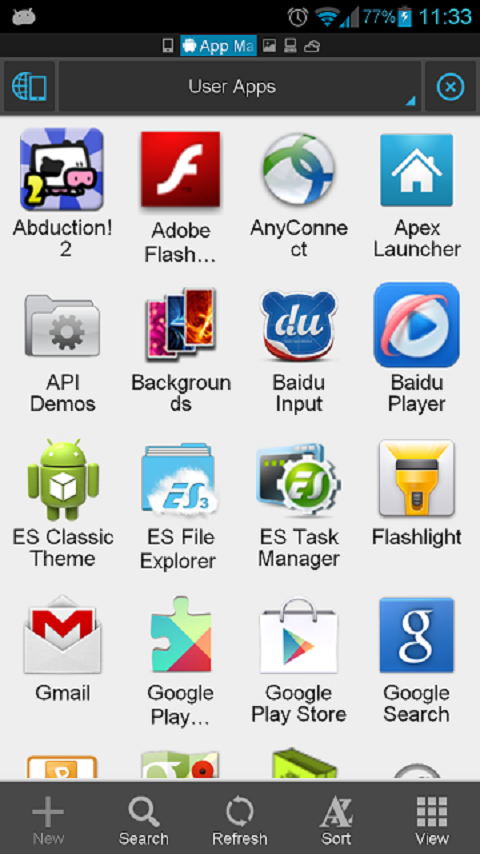
* Application Manager – categorize, uninstall, backup, and create shortcuts to your apps
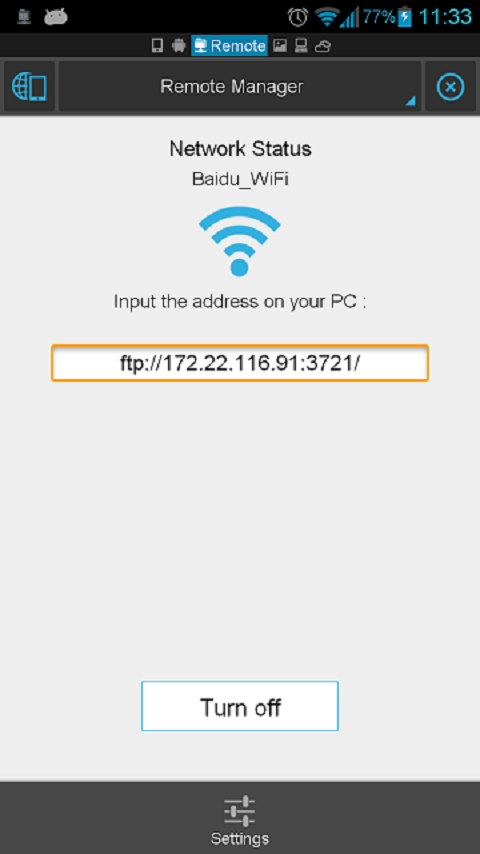
* Remote File Manager – when enabled, manage files on your phone from your computer
* Built-in ZIP and RAR support allows you to compress and decompress ZIP files, unpack RAR files, and create encrypted (AES 256 bit) ZIP files
* Built-in viewers and players for various file types, including photos, music, and videos; supports third-party applications, such as Documents To Go, for opening others
* Shows thumbnails for APKs and images
* Text viewers and editors
* Access your home PC via WiFi with SMB
* Functions as your FTP and WebDAV client. Manage files on FTP, FTPS, SFTP, and WebDAV servers just like you manage files on your SD card
* Supports Dropbox, Box.net, Sugarsync, Google Drive (Google Docs is now a part of Google Drive), SkyDrive, Amazon S3, Yandex and more.
ES File Explorer is an enhanced cloud storage client with more functions than the official versions,
it can save photos, videos, and other files to your internet drives and share them with others.
* Bluetooth file browser You can copy and paste files between Bluetooth ready devices. It supports OBEX FTP for browsing devices and transferring files between Bluetooth devices.
* Kill tasks with a single click -- includes a simple widget for automatically killing tasks, with an ignore list to ignore the applications you want to keep running. To use this feature, you must have ES Task Manager module installed.
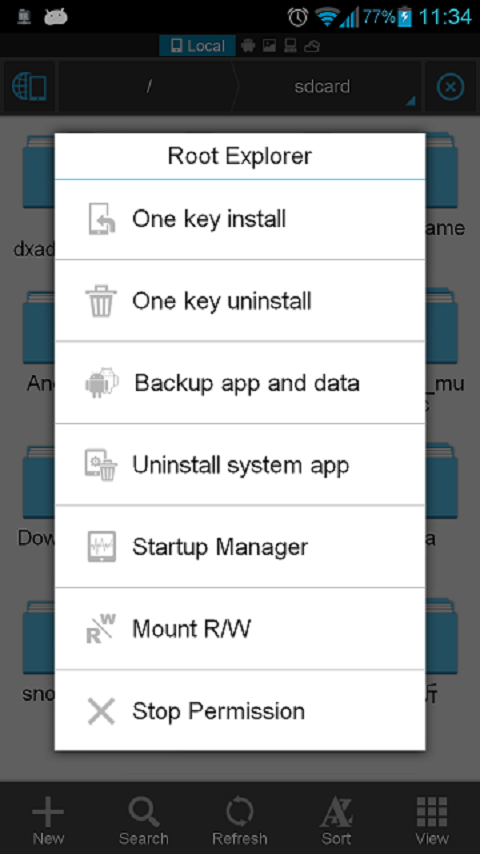
* Root Explorer -- the ultimate set of file management tools for root users. Provides access to the entire file system and all data directories, and allows the user to change permissions.
* Developers can visit our website for the developer interface for picking files from your applications, emailing attachments, etc.

Change Log
V3.0.5.5:
Hot Fix for V3.0.5.4: SD Card analyst show black on some 2.3 devices.
V3.0.5.4:
1) ES Task Manager update to match ES File Explorer V3.
2) Set Waterdrop gesture location
3) Support Thai/Farsi language
4) Support wired LAN

Images


Downloads
Download - Direct Link (Android 2.1 and up)

Download - Direct Link ( Android 1.5 | 1.6 | 2.0 )
Read more

Monday, July 25, 2016

Next Launcher 3D Shell v3 05 1 Apk

,


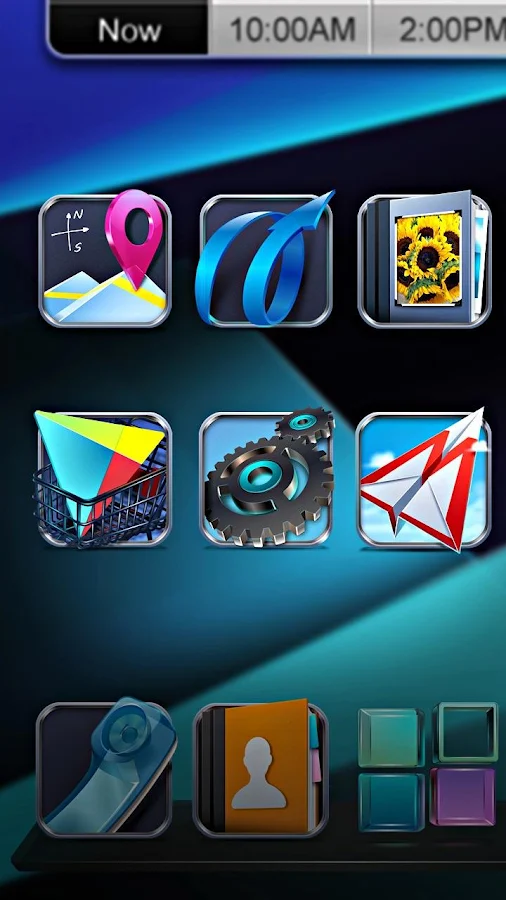
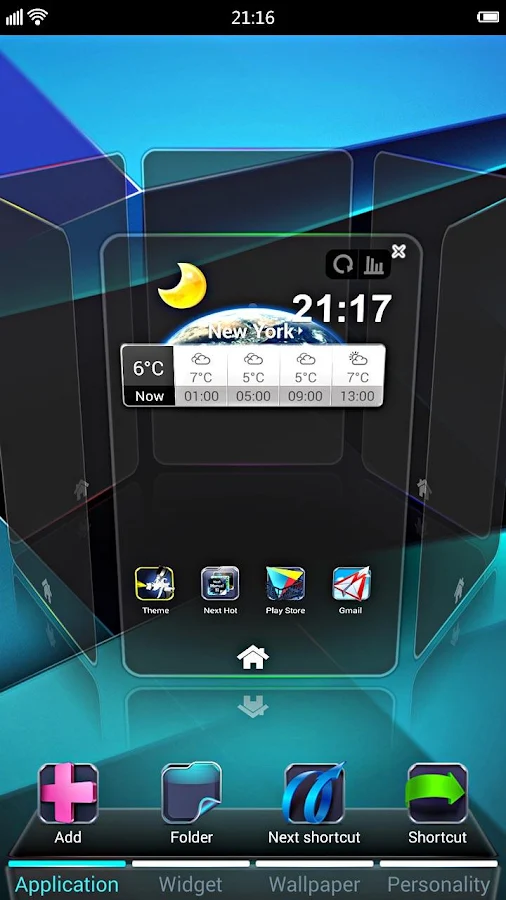
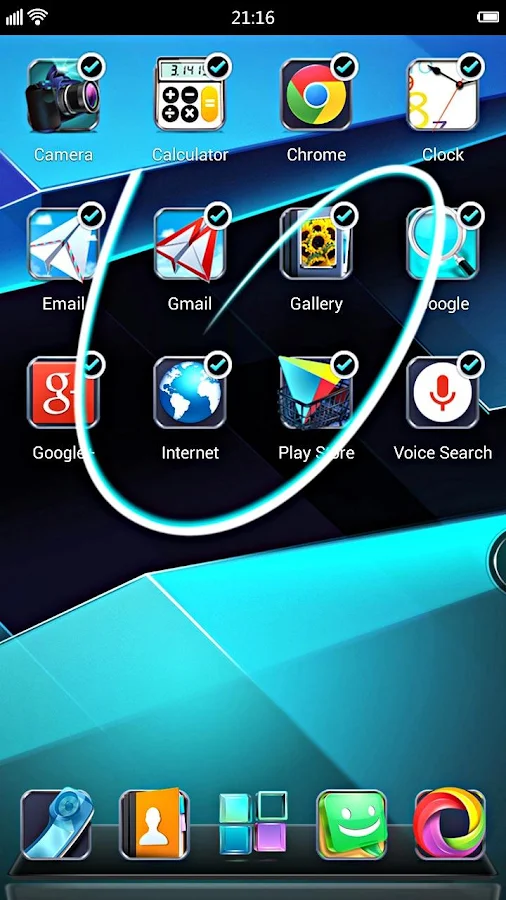
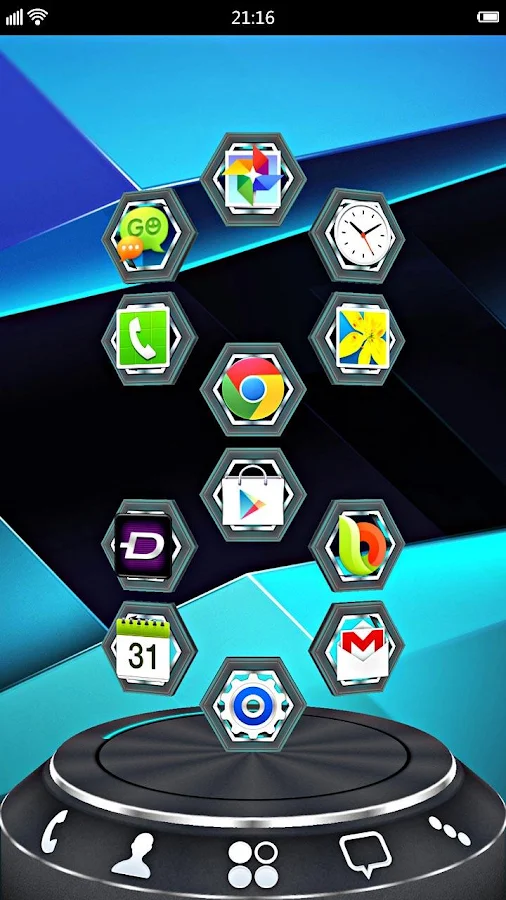
Next Launcher 3D play.google.com.nextlauncher

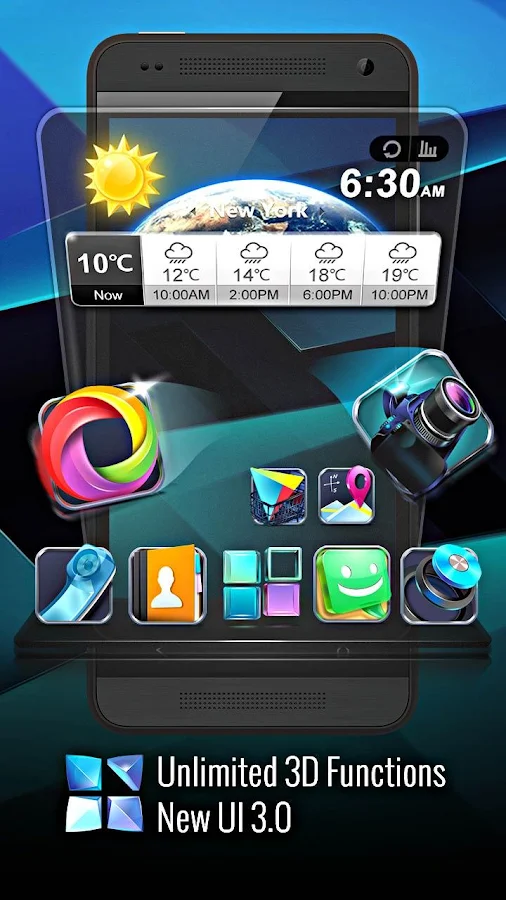
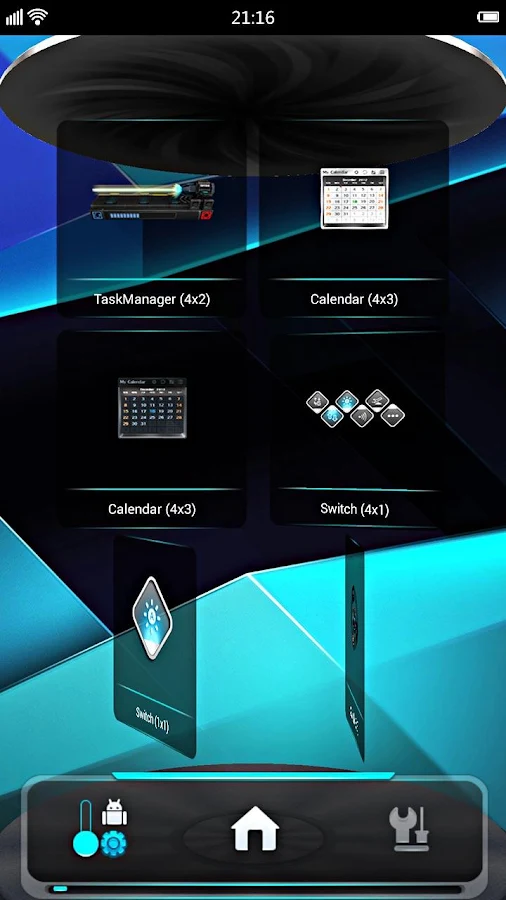
Forget about everything tiling on the flat like dead fish. Forget about the icon showing like a piece of paper. Forget about the dock standing in line like dumb wood. Forget the traditional launcher and embrace REAL 3D Launcher! 
Next Launcher 3D is so proud to present the first REAL 3D Launcher in Google Play Store. Evolution is coming.
Extend imagination, extend capabilities!
Join millions of users for unique and splendid operation experience and visual enjoyment!
Features:
  • Extremely fancy 3D effect with buttery smooth experience
  • Real 3D Home Screen Transition Effects (Crystal, Cloth, Folding and more coming soon)
  • Stunning 3D screen preview with dazzling animation of screen switching
  • Build unique icon style by changing its size, angle, style and label (Icon Editor)
  • Combine all good parts from different themes into a single theme you really love (Theme Mix Mode)
  • Efficient and powerful batch apps management with gestures
  • Up to 8 different gestures available in home screen and app drawer 
  • See how cool your phone could be by blowing all the icons and the widgets to air space (Floating Mode)
  • Enhanced shining border effects for home screen transition 
  • Up to 7 rows on dock to shortcut all your favorites
  • Keep releasing 3D Next widgets, 3D themes and live wallpapers special designed by GO Launcher Dev Team
Next Launcher 3D Shell— Best 3D Launcher Ever. + Brand new UI3.0 Just Released!
    What’s in this version: (Updated : Jan 26, 2014)
    • (Improved) Smoother for operation performance
    • (Fixed) Crashed when app drawer is opened in some devices.
    • (Fixed) Widgets got disappeared while being resized in 3D mode.4. (Fixed) Shortcuts got disappeared after launcher is restarted in 3D mode.
    • (Fixed) Some FC bugs
    Required Android O/S : 2.2+
    11Mb Apk
    Screenshots :
     Next Launcher 3D Shell v3.05.1 Apk Next Launcher 3D Shell v3.05.1 Apk
     Next Launcher 3D Shell v3.05.1 Apk Next Launcher 3D Shell v3.05.1 Apk
     Next Launcher 3D Shell v3.05.1 Apk Next Launcher 3D Shell v3.05.1 Apk
    2cOIEIv4 Next Launcher 3D Shell v3.05.1 Apk
    Zbbt5594 Next Launcher 3D Shell v3.05.1 Apk
    15hBeXo4 Next Launcher 3D Shell v3.05.1 Apk


    Read more

    Thursday, May 19, 2016

    Zombie Dash v3 2 apk

    ,

    Description
    When your town is overrun by the walking dead, theres only one thing left to do - cut down wave after wave of zombies in this endless shooting adventure! Hear the sweet screams of the zombies as you strafe them with submachine gun fire or explode them with special weapon pickups.
    Zombie Dash combines the timeless appeal of classic arcade games with stunning graphics you have to see to believe.

    Game Features:
    - Visually stunning updated graphics, character and weapons
    - Gameplay optimized for touch screen devices
    - Countless hours of gameplay with 4 different adventure world
    Notes: The permissions required in this game is only used for online leader board. Thanks.

    Change Log
    - Fixed some minor bugs of the game
    - Added a more game link

    Images


    Downloads
    Download - Mediafire
    Read more
     

    Computer Info Copyright © 2016 -- Powered by Blogger